
 software / desktop
Hourglass
See where
your time goes.
Hourglass automatically tracks the time you spend on websites, so you can see where your day goes. A clear breakdown of work, study, breaks, and everything in between.
- Made for
- Automatic time tracking
- Built with
- Electron · JavaScript
- Companion
- Chrome / Edge extension
The idea
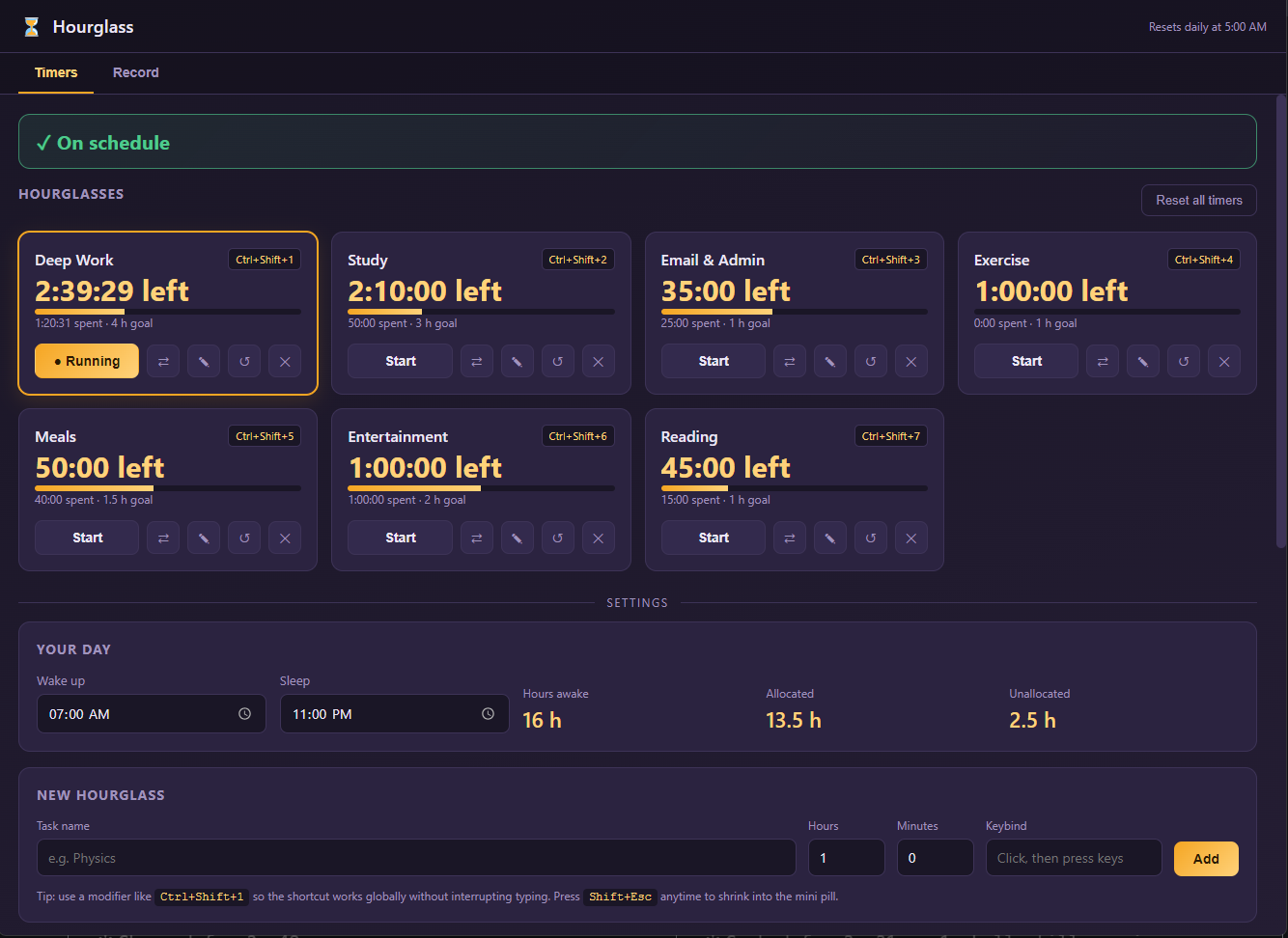
A few minutes here, another tab there—it’s easy to reach the end of the day without knowing where the hours went. Hourglass makes that time visible. It follows your browsing activity and builds a record you can look back on, without relying on your memory.
How it works
Track as you go
A companion browser extension follows the website you’re using and automatically switches the activity being tracked. As you move between sites, Hourglass keeps a running record of the time spent.
Give the time some context
Group websites into categories such as work, study, or entertainment. Set your own rules and exceptions, so the breakdown reflects how you actually use each site.
See the bigger picture
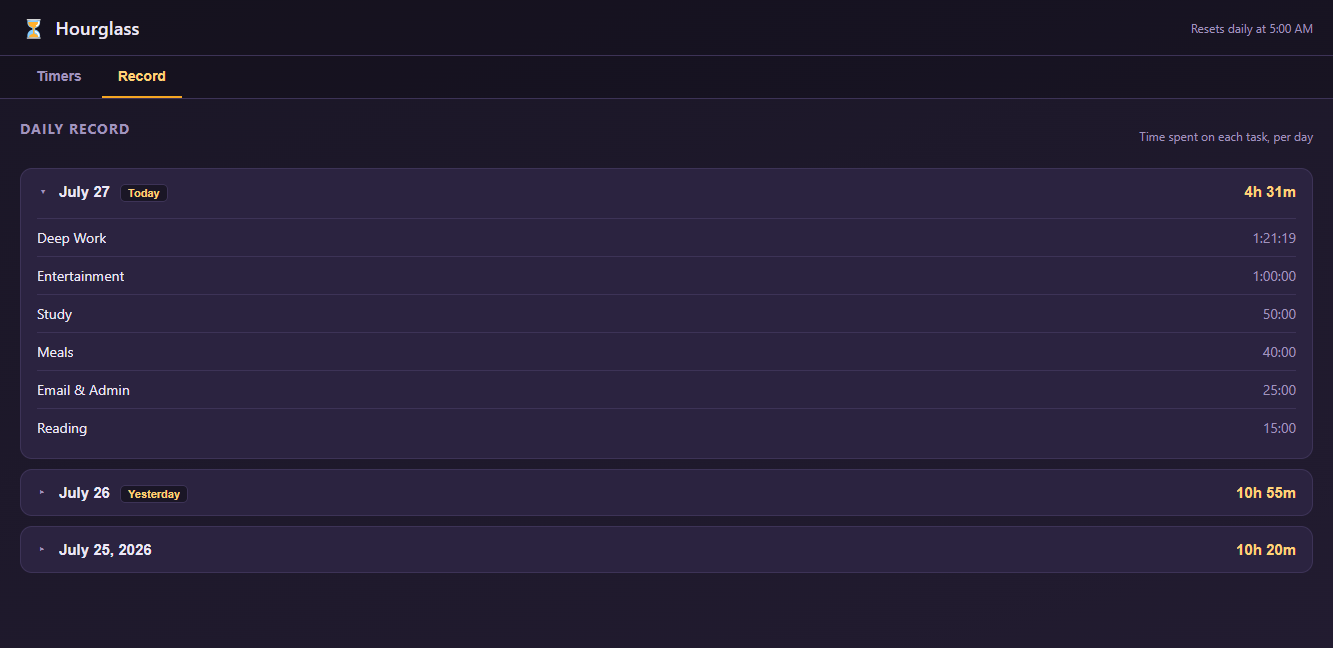
The daily record brings those small stretches of time together. See how much of the day went to each activity, look back at previous days, and spot where the hours are adding up.

Make it your own
The same website can mean different things. YouTube might be a study session or a break. Custom categories and exceptions help Hourglass put that time in the right place.
Automatic website tracking works through the Chrome or Edge extension. The desktop app brings the activity totals together, giving you a clearer view of how you’re spending your time.
Curious about the code?
view on GitHub